
1Step 1
Create your account
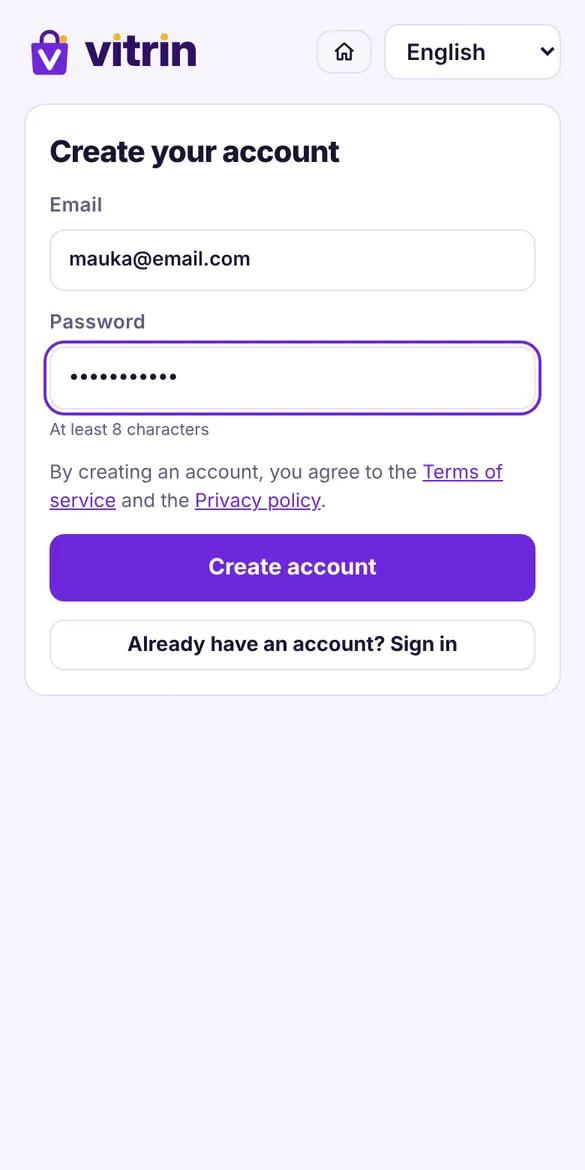
Go to myvitrin.app and tap “Create my shop”. Enter your email and a password (at least 8 characters). That's it.
💡 Use an email you check often: that's where the reset link goes if you forget your password.
One link for all your products. Customers pick, order and pay you directly. No tech skills needed.
Create my free shop →No card neededCreate and set up your shop
Go to myvitrin.app and tap “Create my shop”. Enter your email and a password (at least 8 characters). That's it.
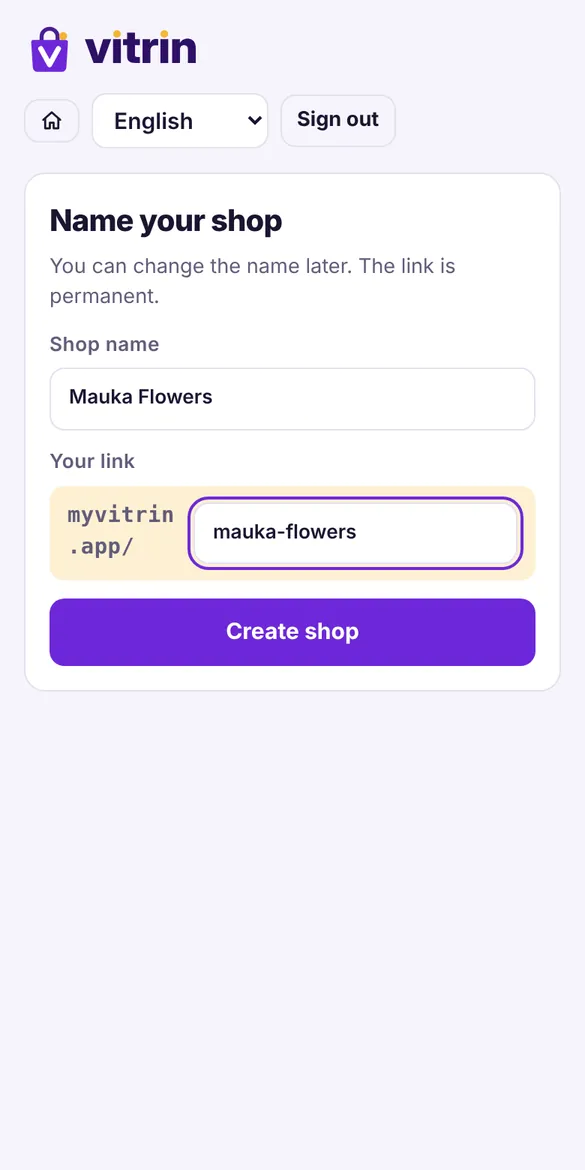
Type your business name. Vitrin creates your link automatically, like myvitrin.app/mauka-flowers. You can change the name later, but not the link.
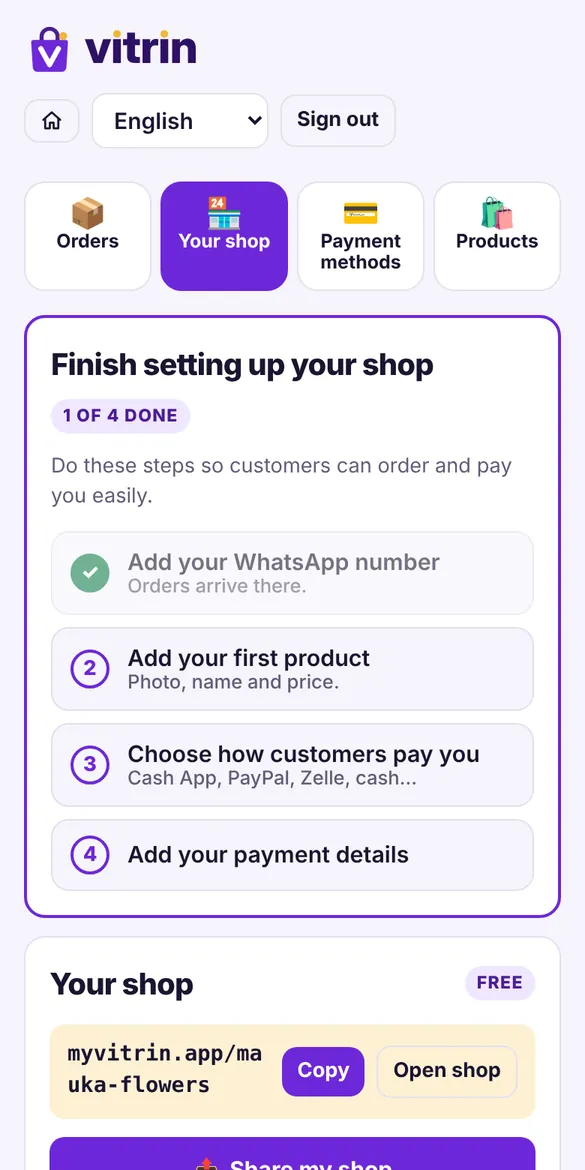
A short checklist shows what's left: your WhatsApp number, your first product, your payment methods and your payment details. Each finished step gets a ✓.
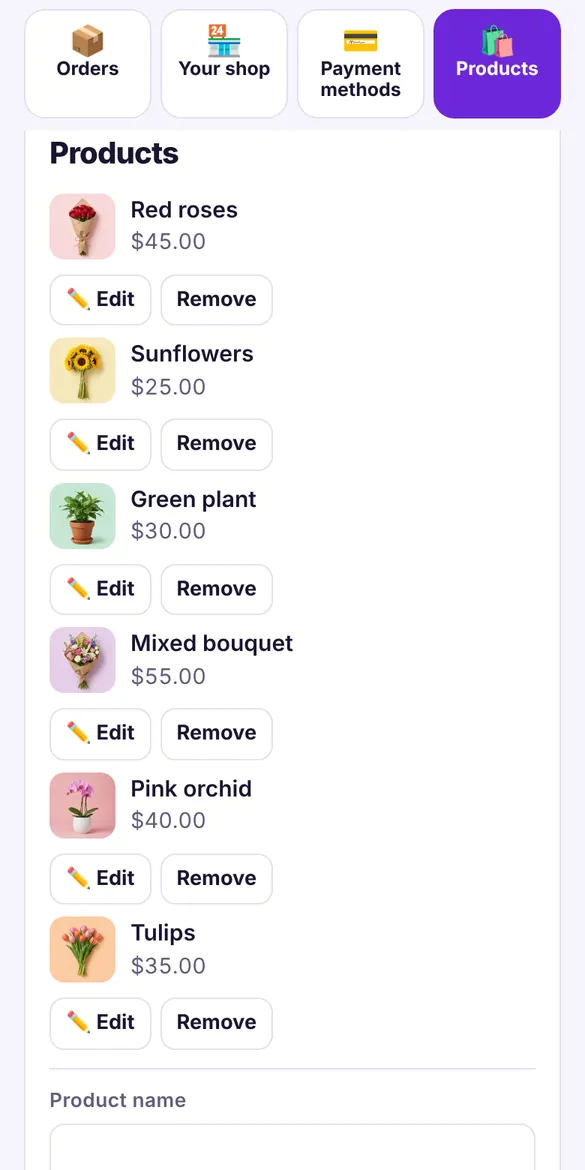
For each product: a photo, a name and a price. Tap “Add product”. Use “Edit” any time to change a photo or a price.
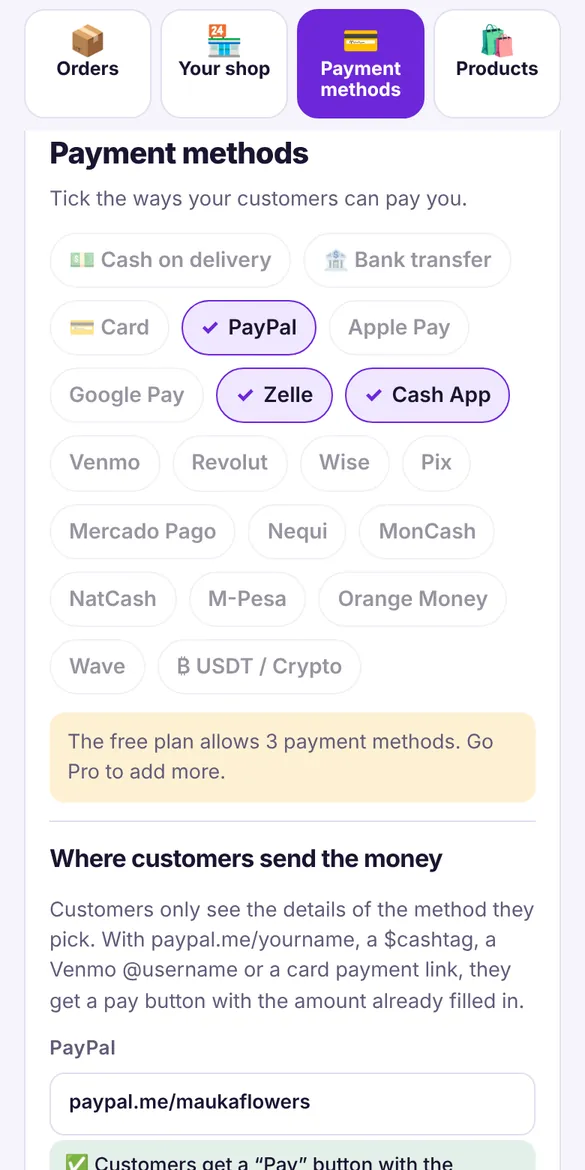
Check the methods you accept: Cash App, PayPal, Zelle, cash on delivery… then add your $cashtag, link or email for each one.
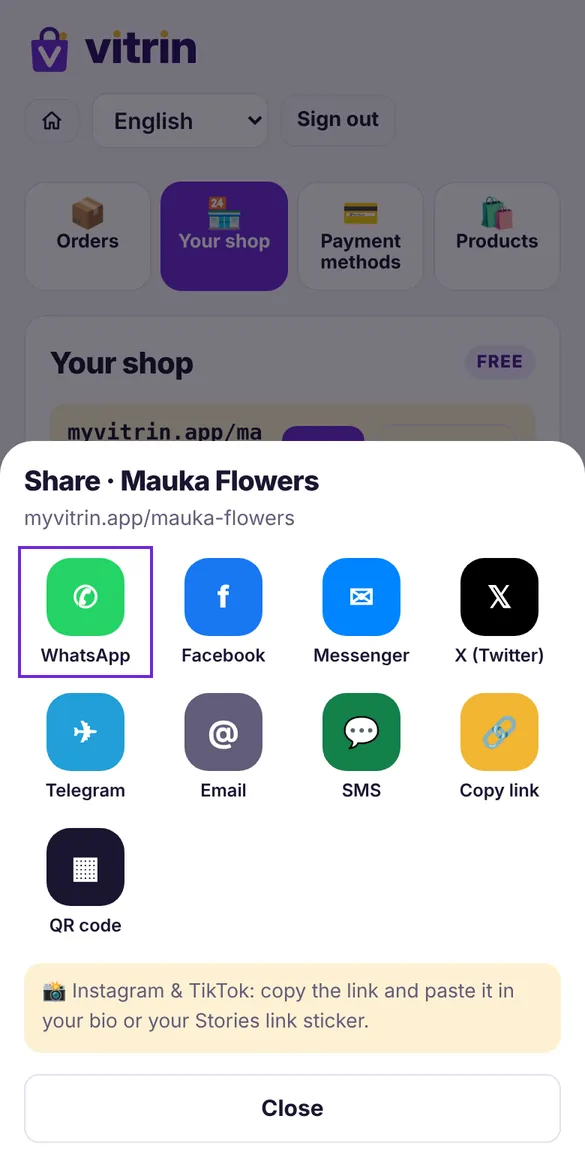
Tap “Share my shop”: WhatsApp, Status, Facebook, Messenger, Telegram, SMS… or download your QR code to print it.
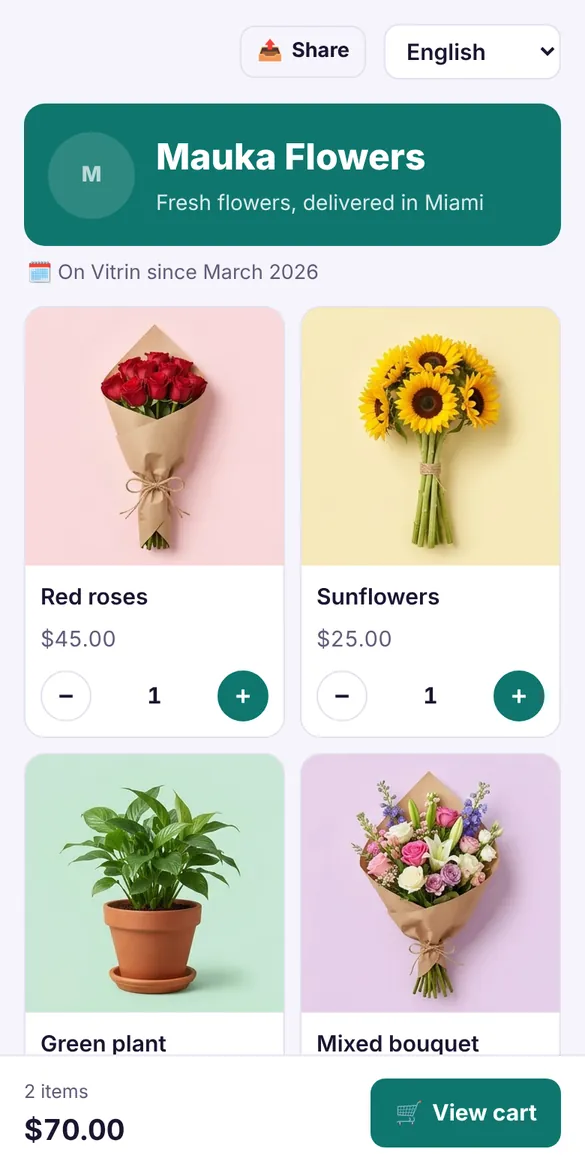
What customers see when they open your link
The customer opens your link on their phone, sees photos and prices, and taps + to add to cart. No app to download.
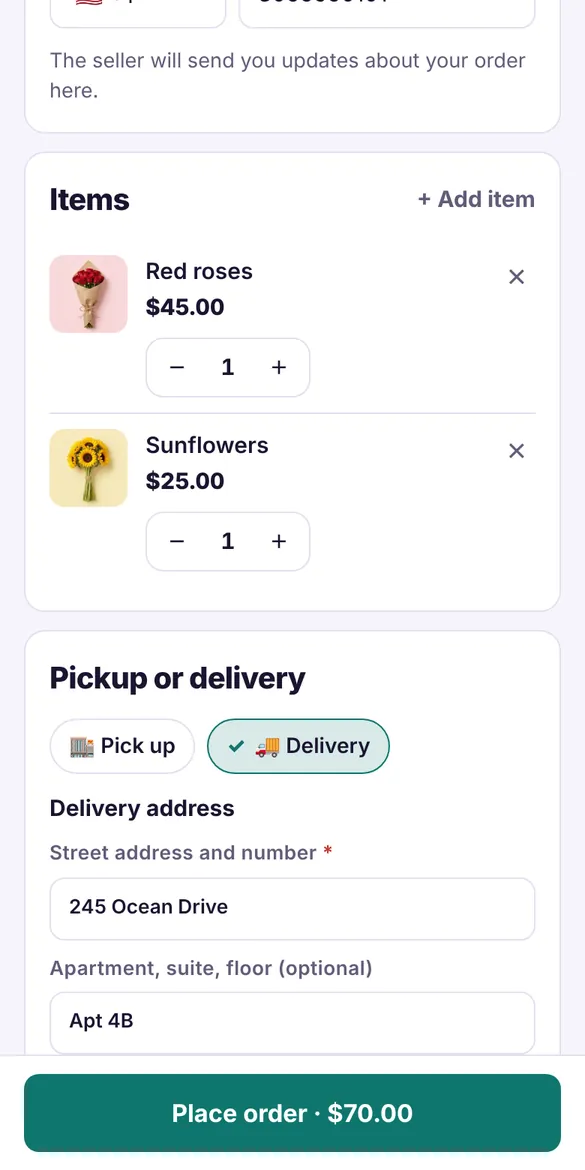
They enter their name and WhatsApp number, then choose “Pick up” or “Delivery” with a full address. The total is calculated automatically.
The order lands on your WhatsApp with every detail: items, total, name, number and address. The customer gets a link to track the order.
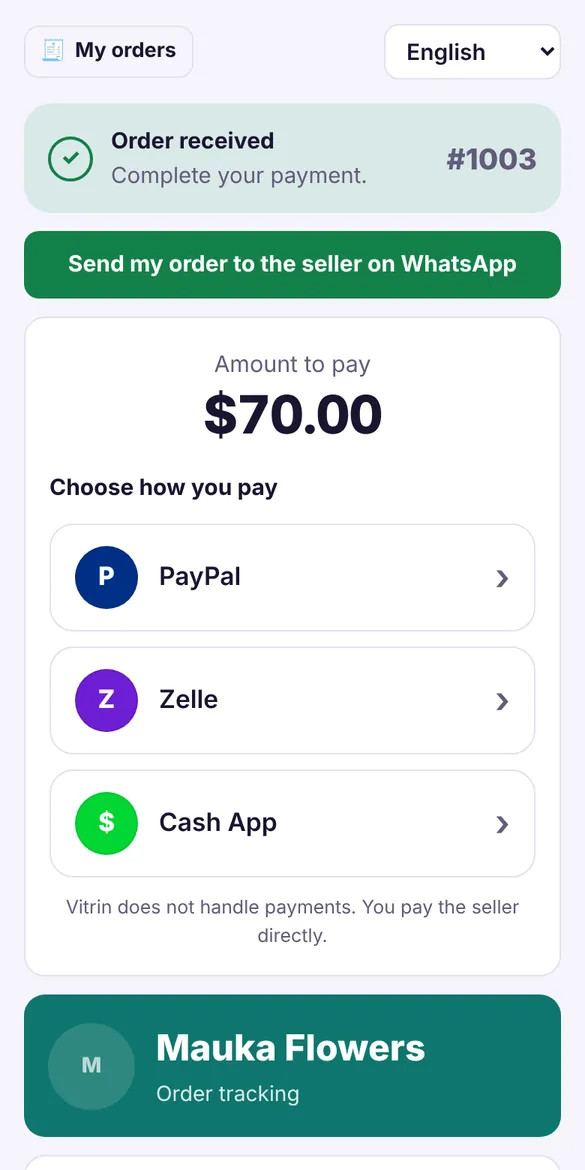
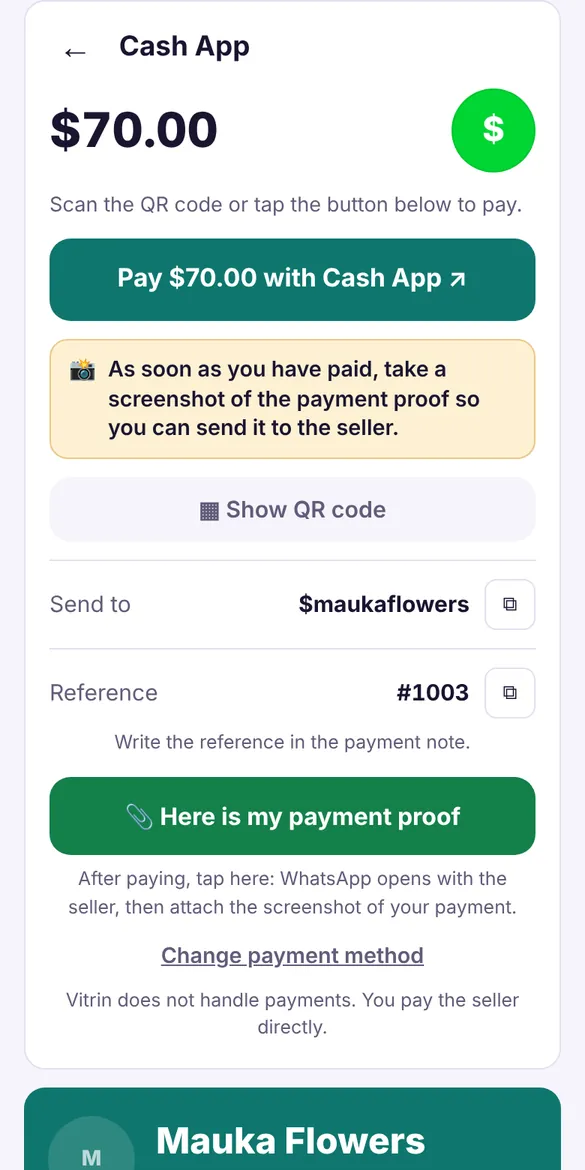
The customer picks a method and taps the big “Pay” button. The money goes straight to you, not to Vitrin. Then they send you the proof on WhatsApp.
Follow every order until it's delivered
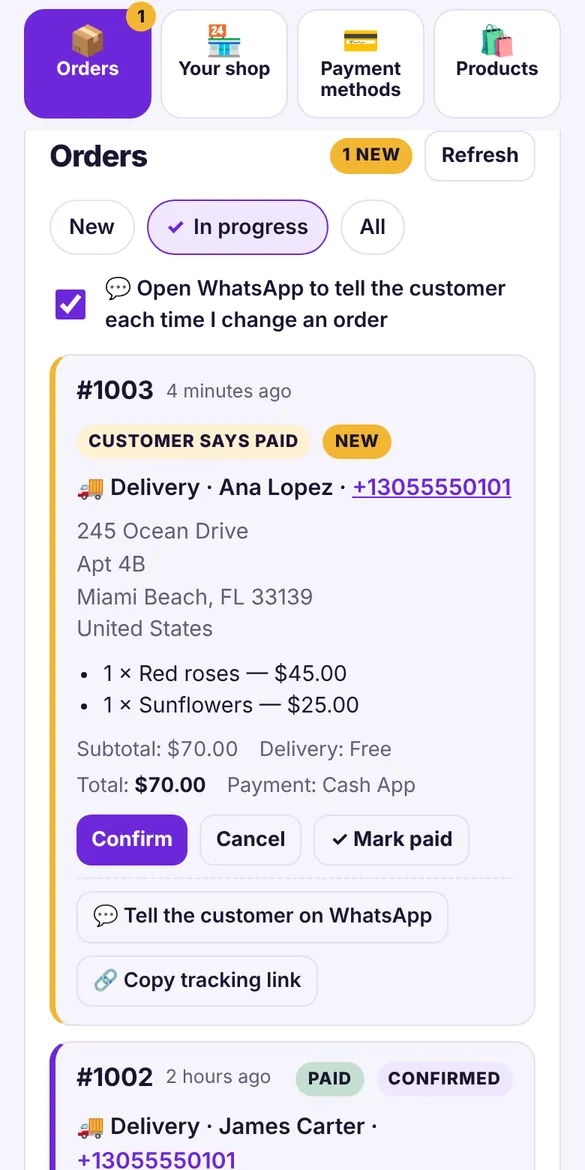
In “Orders”, every order has buttons: Confirm, Mark paid, Out for delivery, Delivered. Each tap prepares a WhatsApp message for your customer.
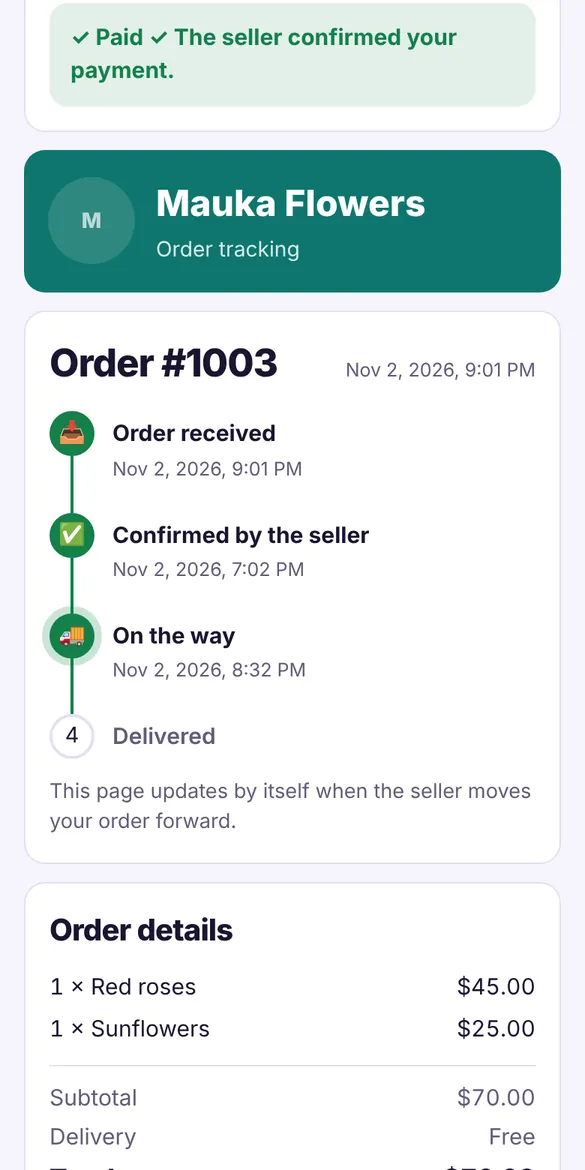
The tracking page shows every step: Received, Confirmed, On the way, Delivered. It updates by itself.
No. 0% commission. The money goes straight to you.
No. They just open your link on their phone.
No. The free plan needs no card.
English, French, Spanish, Portuguese and Haitian Creole. Each customer sees the shop in their language.
Create your shop now. It's free and takes 2 minutes.
Create my free shop →